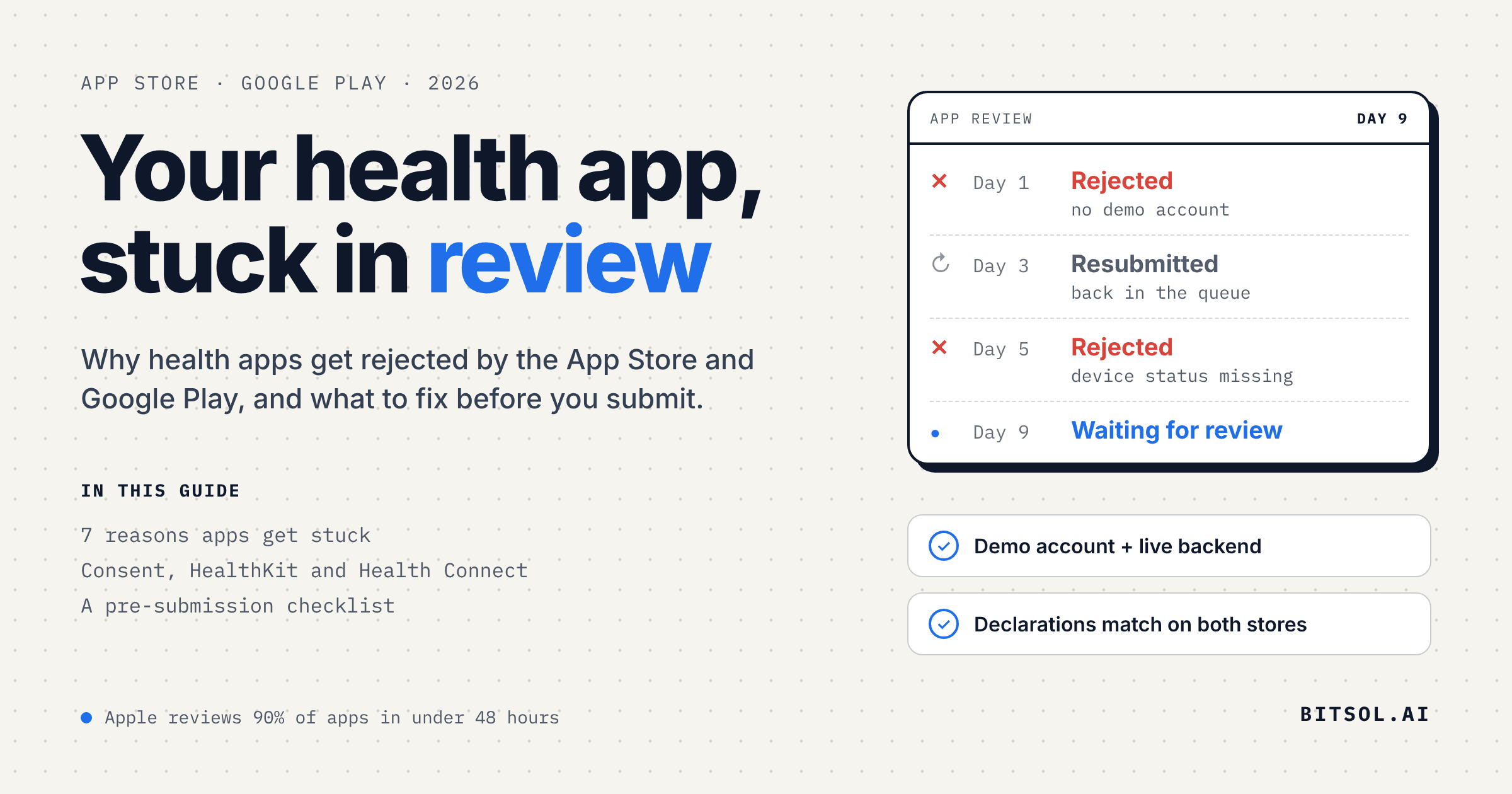
A finished HealthTech app can still miss its launch date in review.
Review is usually quick. Apple says it typically reviews at least 50% of submissions in under 24 hours and 90% in under 48 hours. Google says review can take a few hours or up to seven days, or longer in exceptional cases. Health apps face additional checks, set out below, and each rejection adds another round.
Bitsol builds healthcare software only, with 50+ healthcare products shipped. This playbook explains why health apps get stuck in review and what to prepare for each store. Every requirement comes from Apple's and Google's current documentation, and our own recommendations are marked as such.
Short answer: health apps get stuck in review for seven reasons: extra scrutiny of health claims, extra declarations, the wrong account type, reviewers who cannot log in, consent asked the wrong way, builds blocked at upload, and a rejection that restarts the clock. The sections below say what to prepare for each store.
Last checked against Apple and Google documentation on 19 November 2026.
What you will learn:
Why health apps get extra attention in App Store and Google Play review
Four lessons that are easy to miss
How consent works on each store
What Apple Health (HealthKit) and Health Connect require before you read health data
The declarations, account type and build settings both stores check
How to set up the review so the reviewer can test your app
Key terms
Purpose string: the message iOS shows when your app requests access to protected data such as health records or the camera. Apple's guideline 5.1.1(ii) asks that it clearly and completely describe how you use the data.
HealthKit: Apple's framework for reading and writing data in the Health app. Apple's guideline 2.5.1 says it should be used for health and fitness purposes and integrate with the Health app.
Health Connect: Android's platform for health and fitness data. Apps declare each data type they access in Play Console.
Prominent disclosure: Google's term for the in-app disclosure that explains what data you collect and why, shown before the permission or consent request.
Regulated medical device status: Apple's declaration of whether your app is a regulated medical device in the EEA, UK or US.
The problem: 7 reasons health apps get stuck in review
1. Extra scrutiny
Apple's guideline 1.4.1 says medical apps that could provide inaccurate data or information, or that could be used for diagnosing or treating patients, "may be reviewed with greater scrutiny." Apple says that if the accuracy or methodology of a health measurement cannot be validated, it will reject the app.
2. Extra declarations
Since March 26, 2026, Apple requires a regulated medical device status for new apps distributed in the EEA, UK or US that are in the Health & Fitness or Medical categories. Existing apps have until early 2027. Google Play requires a Health apps declaration, and apps that use Health Connect must justify every data type they access.
3. The wrong account
Google requires health apps, "such as Medical apps and Human Subjects Research apps," to be published from an organization account. Apple's guideline 5.1.1(ix) says healthcare apps should be submitted by a legal entity that provides the services, not an individual developer.
4. Reviewers cannot log in
Apple's guideline 2.1 asks for demo account details, and a live backend, if your app has a login. Apple says that, on average, over 40% of unresolved issues relate to guideline 2.1, App Completeness.
5. Consent asked the wrong way
Apple's guideline 5.1.3 calls health, fitness and medical data "especially sensitive," and both stores set rules on when and how you ask for it. When collection may fall outside what users reasonably expect, Google requires a prominent in-app disclosure immediately before the permission or consent request, not only a line in the privacy policy. Apple requires consent before collecting user data, and explicit permission before tracking users or sharing their data with third parties.
6. Builds blocked at upload
Some submissions fail before anyone reviews them:
Xcode 26. Since April 28, 2026, apps uploaded to App Store Connect must be built with Xcode 26 or later using the iOS 26 SDK.
Privacy manifest. Since May 1, 2024, App Store Connect does not accept apps that use required reason APIs, in their own code or a third-party SDK, without describing the reason in a privacy manifest.
Android 16. Since August 31, 2026, new apps and updates on Google Play must target Android 16 (API level 36) or higher. Wear OS, Android Automotive OS, Android TV and Android XR apps have lower thresholds. Existing apps must target Android 15 (API level 35) or higher to remain available to new users on devices running a higher Android version.
16 KB pages. Apps targeting Android 15 or higher must support 16 KB memory page sizes on 64-bit devices. From February 1, 2027, updates that do not cannot be released.
Both stores set these requirements on fixed dates (Apple, Google), so an app approved months ago can be blocked on its next update without a code change. We recommend tracking both deadlines in your release calendar.
7. Every rejection restarts the clock
A rejected app has to be resubmitted, and Google warns that sending more changes during a review can push your app to the back of the queue.
Four lessons that are easy to miss
Several rules interact in ways that are easy to miss. These four points draw on Apple's and Google's documentation.
Lesson 1: One SDK inventory, three privacy declarations
Your app's data practices are declared in three places: Apple's App Privacy answers in App Store Connect, the privacy manifest inside your iOS build, and Google's Data safety form. Apple says you must identify the data you or your third-party partners collect, and Google says the Data safety form must reflect data collected or shared by third-party code. That includes crash reporting and analytics SDKs: Apple lists crash logs under its Diagnostics data type. We recommend keeping one list of every SDK and the data it collects, and completing all three declarations from that list.
Lesson 2: The permissions you ship are not only the ones you wrote
On Android, Gradle merges your manifest with the manifests of the libraries you import into the single manifest packaged in your app, so a library can add elements you never wrote. We recommend checking the merged manifest view in Android Studio before each release, and removing anything a library adds that you do not need with a tools:node="remove" merge rule marker. For a health app this matters twice, because Google asks you not to request permissions your core features do not need, or Health Connect data types you do not use.
Lesson 3: The two stores restrict insurance-related use differently
Apple's guideline 5.1.3 allows an app to use health or fitness data to provide a benefit directly to the user, such as a reduced insurance premium, if the app is submitted by the entity providing the benefit and the data is not shared with a third party. Google's Android health permissions policy prohibits using health data accessed through those permissions, including Health Connect, to determine insurance eligibility, and Google's April 15, 2026 policy update clarified that sensitive health data may not be used to determine employment or insurance eligibility. Check the permitted uses under each store's policy before building the feature, and write your data-use rules per store.
Lesson 4: HealthKit does not tell you when read access is denied
To protect privacy, an iOS app does not know whether someone granted or denied permission to read HealthKit data. If read access was denied, queries return only the samples your own app saved, and people can change permissions at any time in Settings or the Health app. Because a denied read looks the same as having no data, we recommend designing every screen to work without it.
The solution: what to prepare before you submit
Get consent right on both stores
Ask before you collect. Apple's guideline 5.1.1(ii) says apps must secure user consent for collecting user or usage data, even if it is anonymous, and give users an easy way to withdraw that consent. Purpose strings must clearly and completely describe how you use the data.
Never force it. Under guideline 5.1.1(iv), apps must not manipulate, trick or force people to consent to unnecessary data access, and should offer an alternative where possible. Under 5.1.1(ii), paid functionality must not depend on granting that data.
Disclose before the Android prompt. Google's prominent disclosure rule applies to health data whenever collection may fall outside what users reasonably expect. The in-app disclosure must come immediately before the runtime permission or consent request, appear during normal use of the app, and not sit only in a privacy policy. Under the same policy, consent needs an affirmative action, such as tapping to accept, and navigating away does not count.
Link the privacy policy inside Health Connect. Apps that use Health Connect must declare an activity that shows the app's privacy policy when users tap the privacy policy link on the Health Connect permissions screen. It must show the same policy you provide in Play Console.
Get permission before sharing or tracking. Unless the law permits otherwise, Apple's guideline 5.1.2(i) requires explicit permission before sharing personal data with third parties, including third-party AI, and permission through App Tracking Transparency before tracking users. Google's Android health permissions policy prohibits sharing health data with third parties without explicit, informed user consent.
Use full consent for research. Apple's guideline 5.1.3 requires research consent to cover the nature, purpose and duration of the study, its procedures, risks and benefits, confidentiality and data handling, a point of contact, and how to withdraw, plus independent ethics board approval. Google requires informed consent for human subjects research apps and expects them to secure IRB or equivalent ethics committee approval, unless exempt, with proof of approval on request.
Opt in before marketing pushes. Apple's guideline 4.5.4 says push notifications should not be used for marketing unless users have explicitly opted in through consent language in the app, with an in-app way to opt out. Push notifications should not carry sensitive personal or confidential information.
Explain how to withdraw. Under guideline 5.1.1(i), your privacy policy must explain your data retention and deletion policies and how users can revoke consent or request deletion of their data.
For Apple Health (HealthKit)
Enable only what you use. Add the HealthKit capability in Xcode. Only select Clinical Health Records if your app needs the user's clinical records: Apple says App Review may reject apps that enable it without using that data.
Write two purpose strings. HealthKit needs separate messages for reading data (
NSHealthShareUsageDescription) and writing data (NSHealthUpdateUsageDescription).Request access per data type, when needed. HealthKit requires permission for each data type you read or write. You do not have to request everything at once, and Apple suggests waiting until you need the data.
Check availability. Call
isHealthDataAvailable()before any other HealthKit call, because HealthKit is not available on every device, such as iPadOS 16 or earlier. If your app works without HealthKit, remove thehealthkitentry from required device capabilities, or the app cannot be installed on devices that do not support it.Disclose the integration. Guideline 2.5.1 says apps should indicate framework integrations in their app description.
Protect the data. Under guidelines 5.1.2(vi) and 5.1.3, HealthKit data may not be used for marketing, advertising or use-based data mining, apps must not write false or inaccurate data into HealthKit, and personal health information may not be stored in iCloud.
For the App Store
Back every health claim. Under guideline 1.4.1, apps must disclose the data and methodology behind accuracy claims about health measurements. Apple's examples of what is not permitted include apps that claim to measure blood pressure, body temperature, blood glucose or blood oxygen using only the device's sensors.
Remind users to see a doctor. Under guideline 1.4.1, apps should remind users to check with a doctor before making medical decisions. If you have regulatory clearance, submit a link to the documentation with your app.
Check dosage calculators. Under guideline 1.4.2, they must come from the drug manufacturer, a hospital, university, health insurance company, pharmacy or other approved entity, or be approved by the FDA or one of its international counterparts.
Limit third-party use of health data. Under guideline 5.1.3, health, fitness and medical research data may not be used or disclosed to third parties for advertising, marketing or other use-based data mining, apart from narrow exceptions for health management and research with permission.
Offer account deletion in the app. Apple requires apps that support account creation to let people initiate account deletion within the app. If a website is needed to finish the process, link directly to that page. Apple's account deletion guidance lets apps in highly regulated industries use additional customer service flows to confirm and facilitate the deletion, and says apps outside those industries should not require people to make a call, send an email or use a chat flow. A health app is likely to count as highly regulated, but confirm this in the guidance.
Declare your medical device status. Since March 26, 2026, new apps distributed in the EEA, UK or US must provide one if their primary or secondary category is Health & Fitness or Medical, or if the age rating questionnaire marks them as containing frequent medical or treatment information. Existing apps must provide one by early 2027 or they can no longer submit updates. If the app is not a regulated medical device, you can select No. If it is, Apple asks for regulatory details that appear on your product page, including an EU manufacturer SRN or FDA owner/operator number, a link to your instructions for use, your intended use or indications for use statement, and safety information.
Keep your privacy manifests accurate. A privacy manifest records the data collected and the required reason APIs used by an app or a third-party SDK. Apple expects third-party SDKs that use required reason APIs, collect data or appear on its list of SDKs that require a privacy manifest to include their own, so check each SDK you ship.
For Google Play
Use an organization account. It needs a D-U-N-S number, and its details must stay up to date.
Complete the Health apps declaration. Google's Health Content and Services policy requires health and medical apps to complete it in Play Console.
Declare medical device status, or add the disclaimer. Under Google's Health Content and Services policy, medical device apps are labeled "Medical Device" on Google Play and must provide proof of approval, clearance or certification on request. Other health apps must state in their description that the app is not a medical device and does not diagnose, treat, cure or prevent any medical condition. All health apps must remind users to consult a healthcare professional.
Request only what you use. Google says health apps should not request permissions their core functionality does not need. For Health Connect, declare each data type with a justification, and do not request types the app does not use.
Host the privacy policy on a public page. Google requires an active, publicly accessible, non-geofenced URL, not a PDF.
Fill in Data safety accurately. All apps published on Google Play must complete the Data safety form, including health and fitness data and anything collected or shared by third-party SDKs.
Offer account deletion in two places. Provide an in-app path and a web link for deleting the account and its associated data. We recommend one web deletion flow that the in-app option opens directly, which can serve both stores.
For the review itself
Make test access straightforward. Provide a working demo account and keep the backend live, as guideline 2.1 asks. On Google Play you can add up to five sets of sign-in instructions, and use the "Any other instructions" field to explain one-time password or multi-factor steps. We recommend synthetic demo data, never real patient data.
Guide the reviewer. We recommend using the review notes to explain the workflow to follow and your regulatory status, for example "not a medical device."
Align your declarations. We recommend making Apple's medical device status and Google's Health apps declaration say the same thing about your app.
Plan the timeline. Google recommends a buffer of at least a week between submitting and going live. We recommend running a closed testing track first, and batching your fixes into one submission rather than sending them during review, as Google warns.
Submitting a HealthTech app with Bitsol
Our 8-week HIPAA-compliant MVP launch is built for health products:
Fixed scope, fixed timeline. A HIPAA-compliant MVP in 8 weeks or less, taken from idea, prototype or pilot to production.
A working prototype in week 1, with unlimited changes in weeks 2 to 4 before production code starts.
Compliance work included. BAA-ready AWS infrastructure, compliance documentation, penetration testing and a security review.
You own the code, with full documentation and training so your team can operate independently.
Covered after launch. Issues in the first 4 weeks after go-live are fixed at no extra cost.
We plan for store submission from the first sprint, so that consent flows, declarations, disclaimers, account deletion and reviewer access are worked out before the first upload. If you are preparing a health app for submission, talk to our team.
Further reading: whether HIPAA applies to your app, HIPAA-compliant authentication with AWS Cognito and the 12 engineering steps to a HIPAA-compliant application.
Frequently asked questions
How long does App Store review take for a health app?
Apple says it typically reviews at least 50% of submissions in under 24 hours and 90% in under 48 hours. Medical apps may be reviewed with greater scrutiny, and each rejection means resubmitting, so a complete first submission avoids repeat rounds.
How long does Google Play review take for a health app?
Google says review can take a few hours or up to seven days, or longer in exceptional cases, and recommends a buffer of at least a week between submitting and going live.
Does a health app need in-app consent before asking for permissions?
On Google Play, when the prominent disclosure rule applies, the in-app disclosure must come immediately before the runtime permission or consent request, and consent needs an affirmative action such as tapping to accept. On the App Store, apps must secure consent for data collection, use purpose strings that clearly describe the use, and give users an easy way to withdraw consent.
What does Apple require to use HealthKit?
Enable the HealthKit capability, add separate purpose strings for reading and writing health data, check that HealthKit is available on the device, and request permission for each data type before using it. Only enable Clinical Health Records if the app uses that data, because App Review may reject apps that enable it without using it.
Can a health app use health data for insurance purposes on both stores?
The rules differ. Apple allows health or fitness data to provide a benefit directly to the user, such as a reduced insurance premium, when the entity providing the benefit submits the app and the data is not shared with a third party. Google prohibits using health data accessed through Android health permissions, including Health Connect, to determine insurance eligibility, and in April 2026 clarified that sensitive health data may not be used to determine employment or insurance eligibility. Confirm the use case against each store's policy.
What is Apple's regulated medical device status?
It is a declaration in App Store Connect, required since March 26, 2026 for new apps in the EEA, UK and US that are in the Health & Fitness or Medical categories or contain frequent medical or treatment information. Apps that are not regulated medical devices can select No. Existing apps must provide a status by early 2027 or they can no longer submit updates.
Do I need an organization account to publish a health app?
On Google Play, developers of health apps such as medical and human subjects research apps must register as an organization, which needs a D-U-N-S number. Apple says healthcare apps should be submitted by the legal entity that provides the services, not an individual developer.