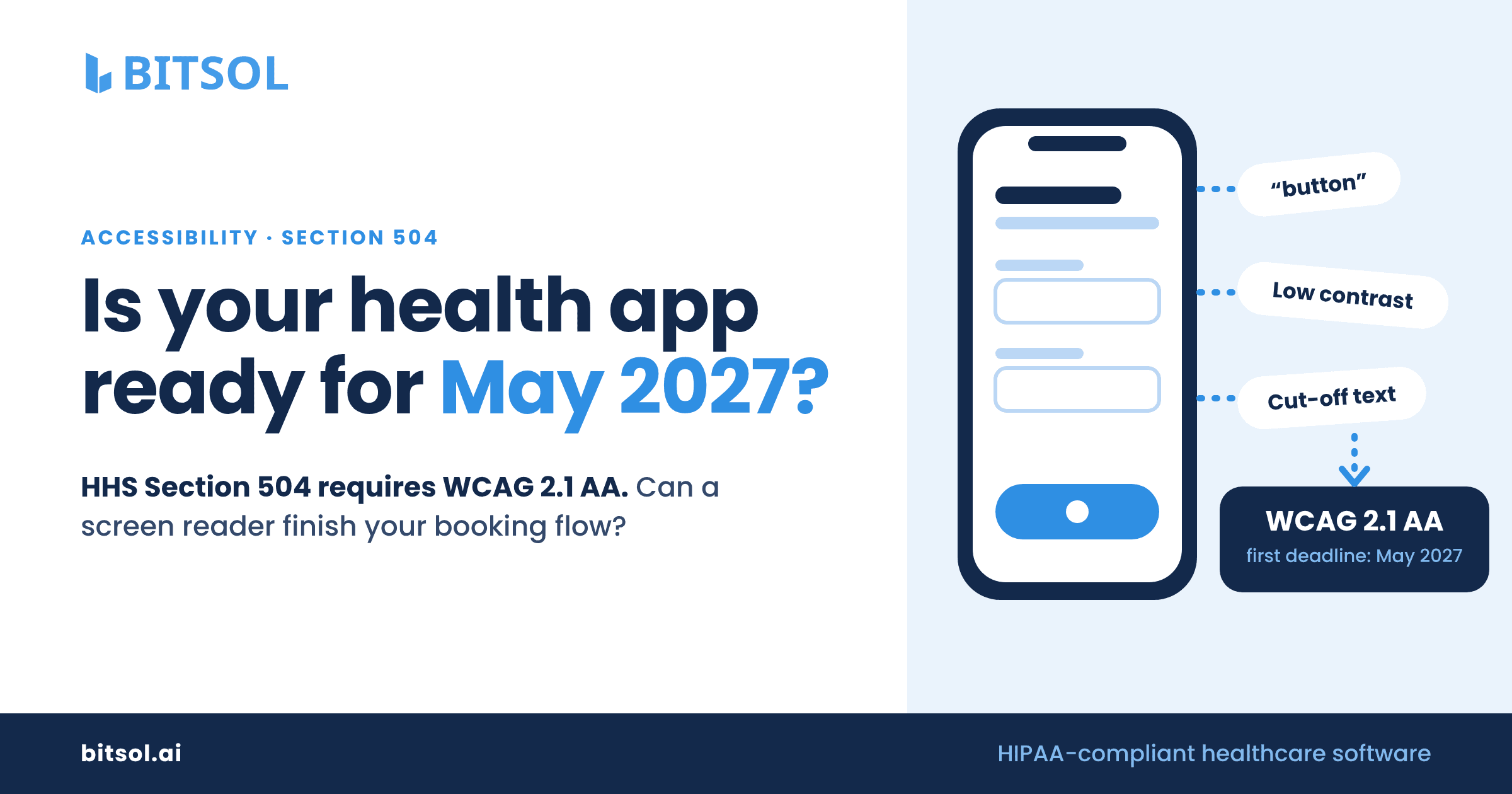
A patient who uses a screen reader opens your HealthTech app to book a follow-up, and the "Book" button is announced only as "button." Another patient has set large text on their phone, and the medication list is cut off mid-word. Neither can finish the task, and if the app belongs to a hospital or clinic that receives HHS funding, both failures fall under a federal rule whose first compliance date is May 11, 2027. Most of the web still fails at this: in WebAIM's 2026 scan of the top one million home pages, 95.9% had detected WCAG 2 failures, meaning failures against the Web Content Accessibility Guidelines (WCAG), the W3C standard the rule adopts. Six error types account for 96% of all detected errors: low-contrast text, missing alternative text for images, missing form labels, empty links, empty buttons and missing document language. Text, images, form fields, links and buttons are also what sign-in, intake and booking screens are built from.
Requirements in this guide are linked to the regulation or the standard, and our own recommendations are marked "we recommend."
What you will learn
What the HHS Section 504 rule requires, and how it reaches HealthTech vendors through provider contracts.
The compliance dates after the 2026 extension, the court challenge to that extension, and the five exceptions.
How Section 504, Section 508 and the ADA differ, and whether to build to WCAG 2.1 or 2.2.
What changes between web and native mobile apps.
The six areas to fix first in a patient app or portal.
How to test, and how to keep an app passing after release.
What the HHS Section 504 rule requires
Section 504 of the Rehabilitation Act bars disability discrimination in programs that receive federal financial assistance. In 2024, HHS added a technical standard for digital services. Under 45 CFR 84.84, a recipient (an organization that receives HHS funding) must make sure that the web content and mobile apps it provides "directly or through contractual, licensing, or other arrangements" meet the Level A and Level AA success criteria and conformance requirements of WCAG 2.1. WCAG grades its success criteria A, AA and AAA. Level AA conformance means meeting every Level A and Level AA criterion, which is why this guide shortens the requirement to "WCAG 2.1 Level AA."
HHS describes its recipients as including "health care providers of all sizes, ranging from large hospital systems to small local clinics." The legal duty sits with the provider, but the words "through contractual, licensing, or other arrangements" mean an app that a software company builds and runs for a provider is still the provider's responsibility. A vendor is not directly regulated unless it receives HHS funding itself, but we recommend that vendors plan for providers to pass the requirement on through contracts and procurement.
The compliance dates
HHS originally set May 11, 2026 for larger recipients and May 10, 2027 for smaller ones. In May 2026 it published an interim final rule that extended both dates by one year, stating that the original dates were "unlikely to be met by a significant number of recipients." The current dates in §84.84(b) are:
| Recipient size | Must meet WCAG 2.1 Level AA from |
|---|---|
| 15 or more employees | May 11, 2027 |
| Fewer than 15 employees | May 10, 2028 |
These dates are not fully settled. In May 2026 the National Federation of the Blind sued DOJ and HHS in the U.S. District Court for the District of Maryland, arguing that the extensions were issued without notice and comment and are arbitrary and capricious, and asking the court to vacate them. Vacating them would restore the original dates, the first of which has already passed. As of November 2026 the Civil Rights Litigation Clearinghouse lists the case as ongoing with no relief granted, and no court has changed the May 11, 2027 date. We recommend not relying on the extension: plan to May 11, 2027 and track the case.
What the rule exempts
§84.85 lists five exceptions:
Archived web content.
Conventional electronic documents posted before the compliance date, unless they are still used to apply for, gain access to, or take part in a program.
Content posted by a third party, unless it is posted under an arrangement with the recipient.
Conventional electronic documents about a specific person, their property or their account that are password-protected or otherwise secured.
Social media posts made before the compliance date.
A "conventional electronic document" is a PDF, word processor, presentation or spreadsheet file. The rule also allows conforming alternate versions (§84.86) and equivalent facilitation (§84.87), and has two limits. Under §84.88, a recipient that shows a fundamental alteration or undue burden must still comply as far as it can, with a written statement from its head or a designee. Under §84.89, minor nonconformance counts as compliant only in a narrow case: where the recipient can show it has such a minimal impact on access that people with disabilities can still get the same information, engage in the same interactions, conduct the same transactions and otherwise take part in the same programs, with substantially equivalent timeliness, privacy, independence and ease of use.
Section 504, Section 508 and the ADA: which one applies to you?
The three laws cover different organizations and do not all point to the same version of WCAG.
| Law | Who it covers | Technical standard |
|---|---|---|
| Section 504 (HHS rule) | Organizations that receive HHS federal financial assistance, including their contracted web and mobile apps | WCAG 2.1 Level A and AA |
| Section 508 | Federal agencies, for the technology they develop, procure, maintain or use | WCAG 2.0 Level A and AA, through the Revised 508 Standards |
| ADA Title II (DOJ rule) | State and local government entities | WCAG 2.1 Level A and AA; HHS notes DOJ delayed its dates by one year |
Section 508 reaches HealthTech vendors through procurement. Federal buyers use an Accessibility Conformance Report (ACR), a document that explains how a product meets the Revised 508 Standards, and vendors typically produce it with the Voluntary Product Accessibility Template (VPAT). We recommend preparing an ACR once your product has been tested, because it gives any buyer, federal or not, your test results in a standard format.
WCAG 2.1 or WCAG 2.2?
The rule requires WCAG 2.1. W3C's current version is WCAG 2.2, which W3C says "builds on and is backwards compatible with WCAG 2.1." It adds criteria that matter for health apps, including a minimum target size of 24 by 24 CSS pixels and Accessible Authentication (Minimum). Under that criterion, a sign-in step must not depend on a cognitive function test, such as remembering a password, unless it offers at least one of four things. These are another method that needs no such test, a mechanism that helps, object recognition, or identifying content the user supplied. As examples of a mechanism that helps, W3C gives password-manager support and copy and paste. WCAG 2.2 also removed criterion 4.1.1 Parsing, and W3C notes that teams required to conform to 2.1 "may need to continue to test and report 4.1.1." We recommend building to WCAG 2.2 Level AA, which W3C says also conforms to 2.1, and still testing 4.1.1 when a buyer asks for a 2.1 report.
Do web and mobile need separate work?
Under the law, no: §84.84(a) lists web content and mobile apps side by side, and both must meet WCAG 2.1 Level AA. HHS defines mobile apps as "software applications that are downloaded and designed to run on mobile devices, such as smartphones and tablets."
In engineering, yes. WCAG was written for web pages, so a native app needs translating. W3C's WCAG2ICT, an informative note, explains how to apply WCAG to non-web information and communication technology (ICT), including native apps. The platforms add their own guidance. Apple recommends a default control size of 44x44 points on iOS and letting people enlarge text by at least 200 percent, and Android recommends a touch target of at least 48dp by 48dp. The fixes differ too: on the web you work with semantic HTML and ARIA attributes (markup that tells assistive technology what an element is), and on mobile with labels for VoiceOver and TalkBack, the iOS and Android screen readers, Dynamic Type and system font scaling. We recommend one shared checklist with web and mobile columns, so both teams test the same criteria in their own way.
What to fix in a HealthTech app, area by area
We recommend checking these WCAG 2.1 Level A and AA criteria first, because they cover the controls on sign-in, intake, booking and results screens.
1. Text size and contrast
Body text needs a contrast ratio of at least 4.5:1 (3:1 for large text), and buttons, input borders and focus indicators need 3:1 against what surrounds them. Text must resize to 200 percent without losing content or functionality, and vertically scrolling content must reflow at a width of 320 CSS pixels without scrolling in two directions, except where a two-dimensional layout is essential. On mobile, we recommend testing every screen at the largest system text size, because long medication names, dosages and dates must stay readable in full.
2. Screen readers and labels
Every image and icon that carries meaning needs a text alternative, and every control needs a name, role and value that assistive technology can read. Status messages, such as "Appointment booked" or "Upload failed," must be available to assistive technology without receiving focus. In practice that means semantic elements, landmarks and aria-live regions on the web, and accessibility labels and announcements tested with VoiceOver and TalkBack on mobile.
3. Forms and errors
Every field needs a label or instructions, and we recommend a visible label on each. Errors must be identified and described in text, not only shown in color, and when the system knows the fix, it must suggest it unless that would put the security or purpose of the content at risk. We recommend reading each intake and consent error aloud with a screen reader before release.
4. Session timeouts and HIPAA automatic logoff
The HIPAA Security Rule includes automatic logoff as an addressable specification at §164.312(a)(2)(iii): "terminate an electronic session after a predetermined time of inactivity." WCAG's Timing Adjustable criterion lists ways to handle a time limit. One is to warn the user before time expires and give them at least 20 seconds to extend it with a simple action, at least ten times. We recommend that pattern for patient apps: keep the inactivity logoff, and show an accessible "Stay signed in" warning before it fires.
5. Touch targets, gestures and orientation
WCAG 2.1 Level AA sets no target size (its 44 by 44 CSS pixel criterion is Level AAA), but WCAG 2.2 Level AA sets 24 by 24 CSS pixels, and we recommend the platform sizes above. Any action that uses a multipoint or path-based gesture, such as a pinch or swipe, needs a single-pointer alternative unless the gesture is essential. Screens must not be locked to portrait or landscape unless the orientation is essential, which matters for patients whose devices are mounted to a wheelchair or bed.
6. Documents and video
New PDFs that are open to everyone, such as forms and patient instructions, fall under the rule. Documents about one patient that sit behind a login, such as a visit summary or lab report, are excepted under §84.85. We recommend generating them as tagged, accessible documents anyway, because the patient they belong to may be the one who needs them. Prerecorded video needs captions. W3C explains that the live-captions criterion "is not intended to require that two-way multimedia calls" be captioned, but we recommend offering live captions in telehealth visits anyway.
How to test it and keep it passing
Automated scanners find only part of the problem; WebAIM notes that its figures count only automatically detectable failures, so real conformance is lower. We recommend three layers:
Automated checks for contrast, labels and markup on every build, in your continuous integration (CI) pipeline.
Manual testing of each core journey (sign-in, intake, booking, results, messaging) with VoiceOver, TalkBack, keyboard-only navigation and the largest text size.
An audit against every WCAG 2.1 Level A and AA criterion before the compliance date, written up as an ACR so buyers can see the result.
For the wider build, see our guide to HealthTech app development and how onboarding loses patients before the first telehealth visit.
How Bitsol approaches accessibility in HealthTech
Bitsol builds healthcare software only, with 50+ healthcare products shipped. We recommend treating accessibility as a build requirement, planned next to HIPAA rather than after it, because both decide how patients sign in, what a session timeout looks like and how results are shown. A sign-in flow, for example, has to satisfy both the security controls in our HIPAA-compliant authentication guide and the accessibility criteria above. If you are planning a patient app or portal for a provider, see how we scope a first release in our 8-week HIPAA-compliant MVP launch, or talk to our team.
Conclusion
The Section 504 rule turns accessibility into a dated requirement for providers that receive HHS funding, and it applies whoever builds the app. We recommend starting now and folding the work into normal releases: contrast and labels first, then timeouts, forms and documents. Finish with a full WCAG 2.1 audit well before May 11, 2027, or May 10, 2028 for smaller recipients. Teams that build to WCAG 2.2 Level AA today meet the 2.1 requirement and the criteria W3C has added since.
Frequently asked questions
What does the HHS Section 504 rule require for health apps?
It requires organizations that receive HHS federal financial assistance to make their web content and mobile apps meet WCAG 2.1 Level A and Level AA, including apps provided through contractual, licensing or other arrangements.
When is the Section 504 web and mobile accessibility deadline?
May 11, 2027 for recipients with 15 or more employees, and May 10, 2028 for recipients with fewer than 15. HHS extended the original dates by one year in an interim final rule in May 2026.
Could the Section 504 accessibility deadline change?
Yes. The May 11, 2027 date comes from a May 2026 interim final rule that the National Federation of the Blind is challenging in federal court in Maryland, asking for it to be vacated. As of November 2026 no court has changed the date, but we recommend planning to May 11, 2027 and tracking the case.
Does the Section 504 rule apply to software vendors?
Not directly, unless the vendor itself receives HHS financial assistance. The duty sits with the recipient, such as a hospital or clinic, and covers web content and mobile apps it provides "directly or through contractual, licensing, or other arrangements." An app a vendor builds for a provider therefore has to meet WCAG 2.1 Level AA, and we recommend vendors expect providers to ask for it in contracts.
What is the difference between Section 504 and Section 508?
Section 504 covers organizations that receive federal financial assistance, and the HHS rule uses WCAG 2.1 Level A and AA. Section 508 covers federal agencies' own technology and uses WCAG 2.0 Level A and AA. Federal buyers use an Accessibility Conformance Report to check a vendor's product.
Does accessibility conflict with HIPAA automatic logoff?
No, if the timeout is designed well. WCAG allows a time limit when the user is warned before it expires and given at least 20 seconds to extend it with a simple action, at least ten times, so an app can keep its inactivity logoff and add an accessible warning.